Agents in Production - Blog Series
This blog is the first of the blog series “Agents in production” that focuses on various aspects of deploying agents in production. As we go, I will highlight various aspects of deploying agents in production and provide the ways to tackle the problem. One of the basic aspects of using agents in production is working with user sessions. Your application needs to let the users log into your app, the users expect your application to have some grasp about the past interactions and respond accordingly and maintain a smooth user experience.
Agents are different from the normal application in the sense that, Agents are always generating new data and the users are constantly adding new information, via prompt and responses. The information being generated is not structured as you would expect in the normal application. Some of this data is only useful or relevant for a particular session however there will be data like your name, address etc that can be useful across the sessions.
In this blog we will build an agent that will find the restaurants near the area of your preference, the agent will collect as much information as possible about the restaurant, like the name and location of the restaurant, ratings and the summary of reviews. You will be able to look up menus as well for the restaurant you are interested in. Like most agents this agent will primarily deal with 2 kinds of data.
As mentioned, the key challenge lies in the large amount of mostly unstructured data; finding order in this chaos is what we will try to do here.
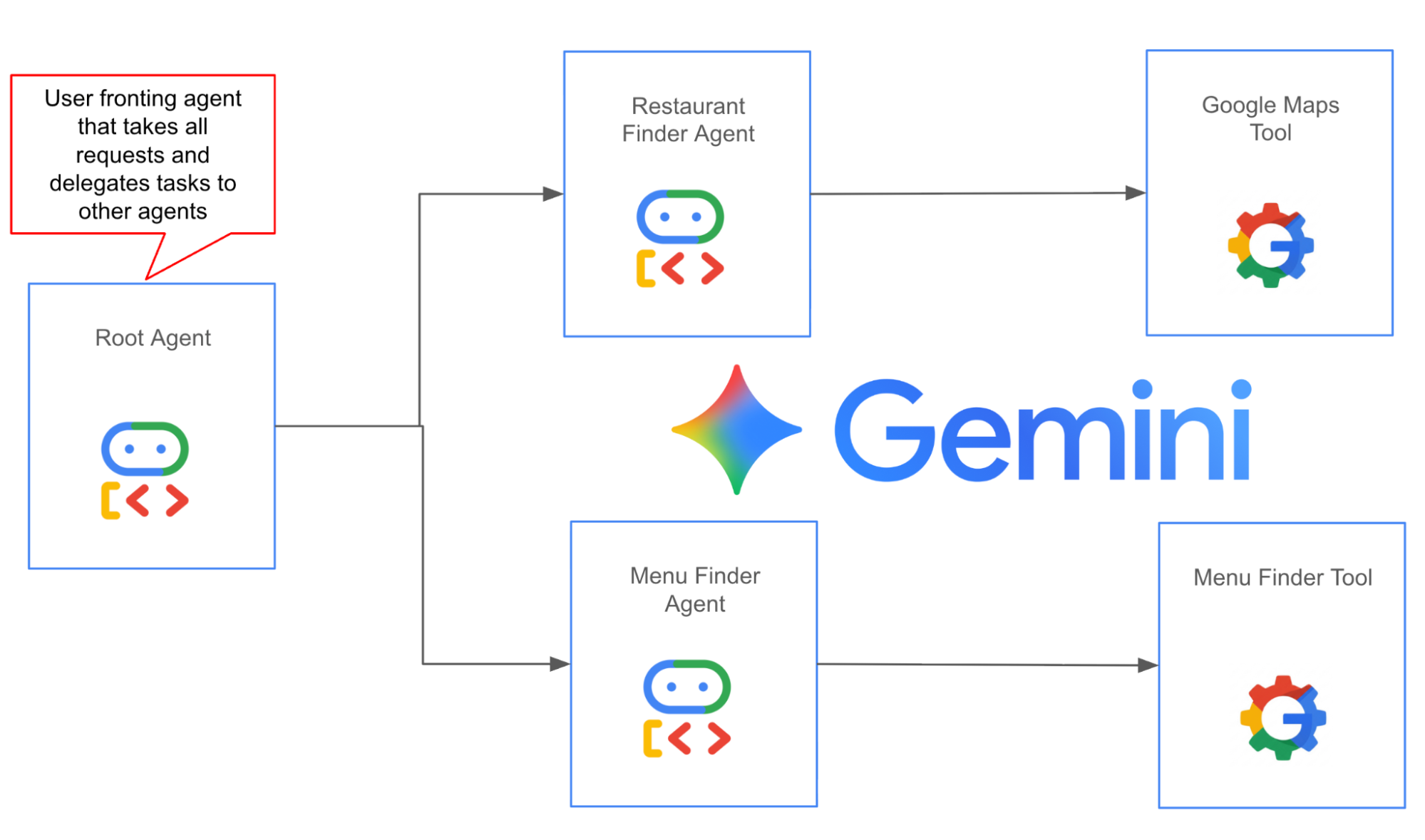
Figure 1: Agent architecture, this agent Root Agent is the user fronting Agent that takes all the user input and converts that into actions that are delegated to the sub-agents.The first sub-agent (Restaurant Finder Agent) finds restaurants using Google Maps API and the second sub-agent (Menu Finder Agent) parses the restaurant page and looks for the menu.
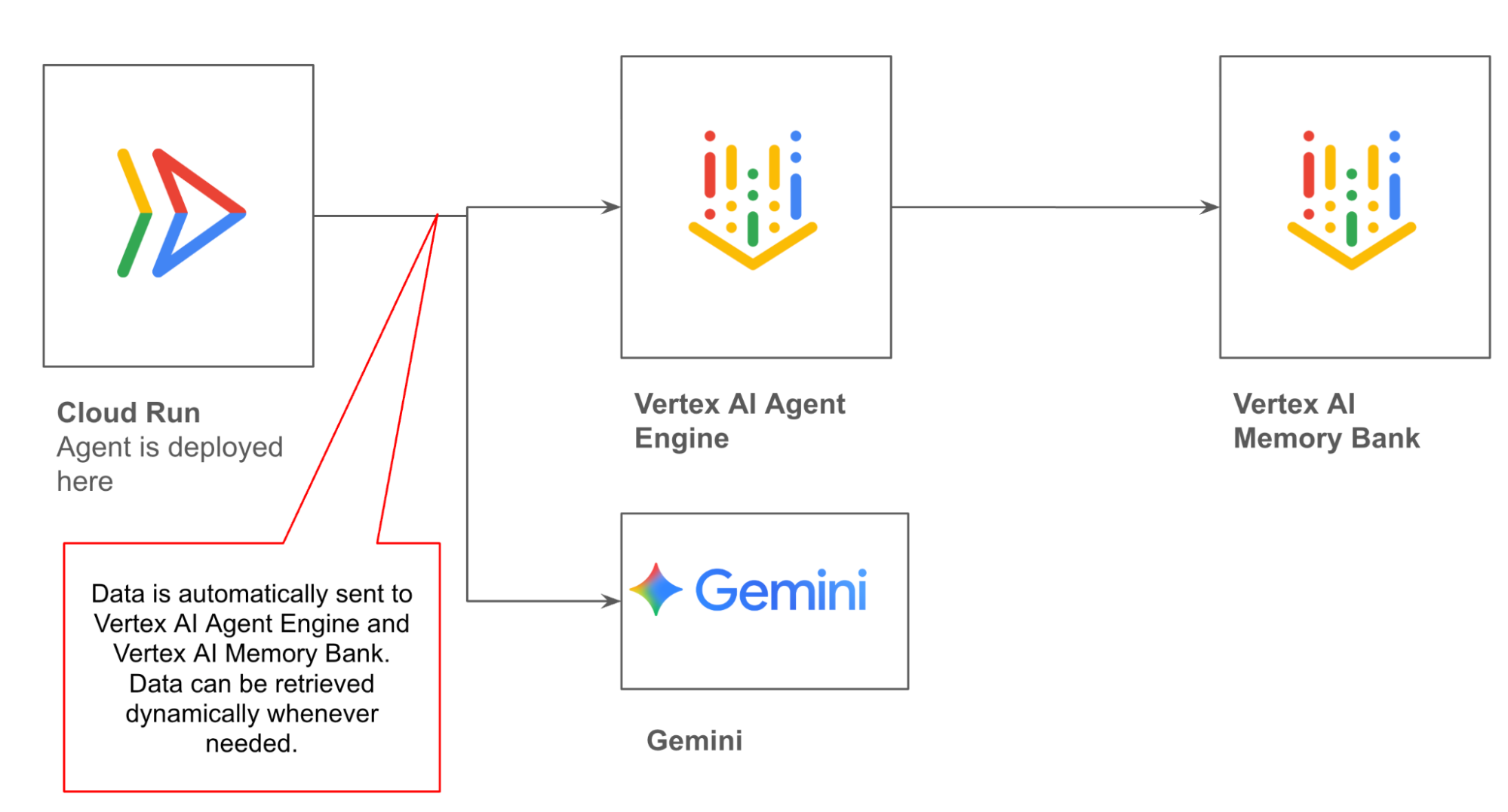
Figure 2: The ADK agent is deployed in Cloud Run, which is connected to Vertex AI Agent Engine and Vertex AI Memory Bank. The data in the agent is persisted in Vertex AI Agent Engine sessions and Vertex AI Memory Bank.
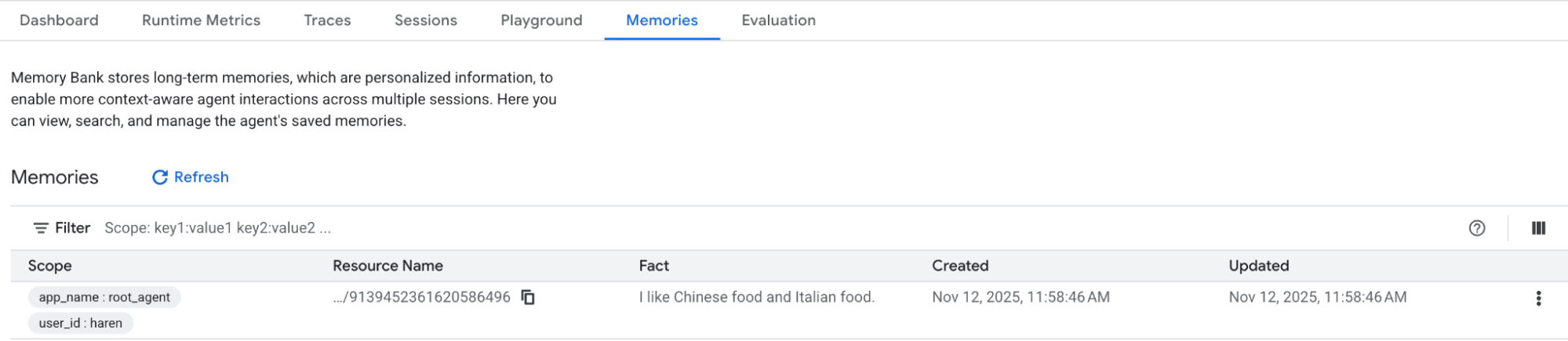
Vertex AI Memory Bank is a managed service in Google Cloud that helps you preserve the data that is used across the session. Agent Development Kit (ADK) has integration with Vertex AI Memory Bank that allows you to automatically persist useful data to Vertex AI Memory Bank. You can also explicitly store the data in the Vertex AI Memory Bank.
Vertex AI Memory Bank supports the following memory types by default.
You can also define your own custom memory type. For details please refer to this page.
In order to use Vertex AI Memory bank you first need to create a Vertex AI Agent Engine instance as shown in the code below.
def createVertexAIMemoryBank(PROJECT,LOCATION):
client = vertexai.Client(project=PROJECT, location=LOCATION)
agent_engine = client.agent_engines.create(
config={
"context_spec": {
"memory_bank_config": {
"generation_config": {
"model": f"projects/{PROJECT}/locations/{LOCATION}/publishers/google/models/gemini-2.5-flash"
}
}
}
}
)
print(agent_engine.api_resource.name.split("/")[-1])
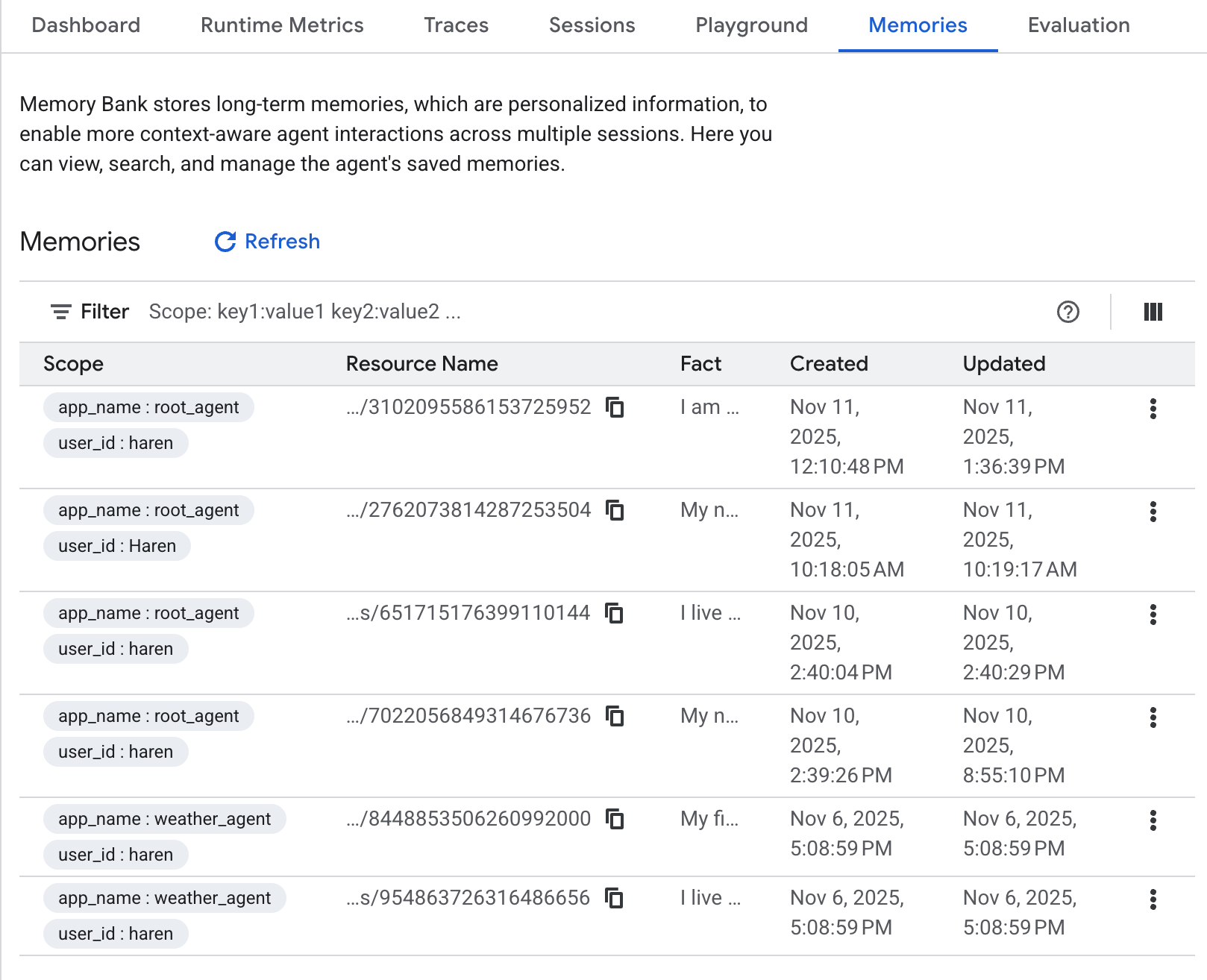
Once you create the Vertex AI Agent Engine instance, you will be able to confirm it from the Vertex AI page in Google Cloud Console.
Figure 3: Once the Vertex AI Agent Engine instance is created you can confirm it from the Vertex AI page. In this example the memory in Vertex AI Memory Bank is already populated.
You can access Vertex AI Memory Bank using ADK as shown in the code below.
agent_engine_id="your agent engine id"
PROJECT_ID="your project id"
LOCATION="your Google Cloud Location"
session_service = VertexAiSessionService(
project=PROJECT_ID, location=LOCATION, agent_engine_id=agent_engine_id
)
memory_service = VertexAiMemoryBankService(
project=PROJECT_ID, location=LOCATION, agent_engine_id=agent_engine_id
)
print(f"Agent Engine Id: {agent_engine_id}")
USER_ID = "user"
runner = Runner(
app_name=root_agent.name, # type: ignore
agent=root_agent,
session_service=session_service,
memory_service=memory_service,
)
In the code block above we are using Vertex AI Agent Engine to save the sessions and Vertex AI Memory Bank to save memories. This code block assumes you already have an agent called root_agent. USER_ID represents your username. You should use a unique identifier as a user name. Once you set this up ADK will then automatically persist the session and long term memory. You can also do this explicitly if you wish, please refer here for session management and here for Vertex AI Memory Bank management.
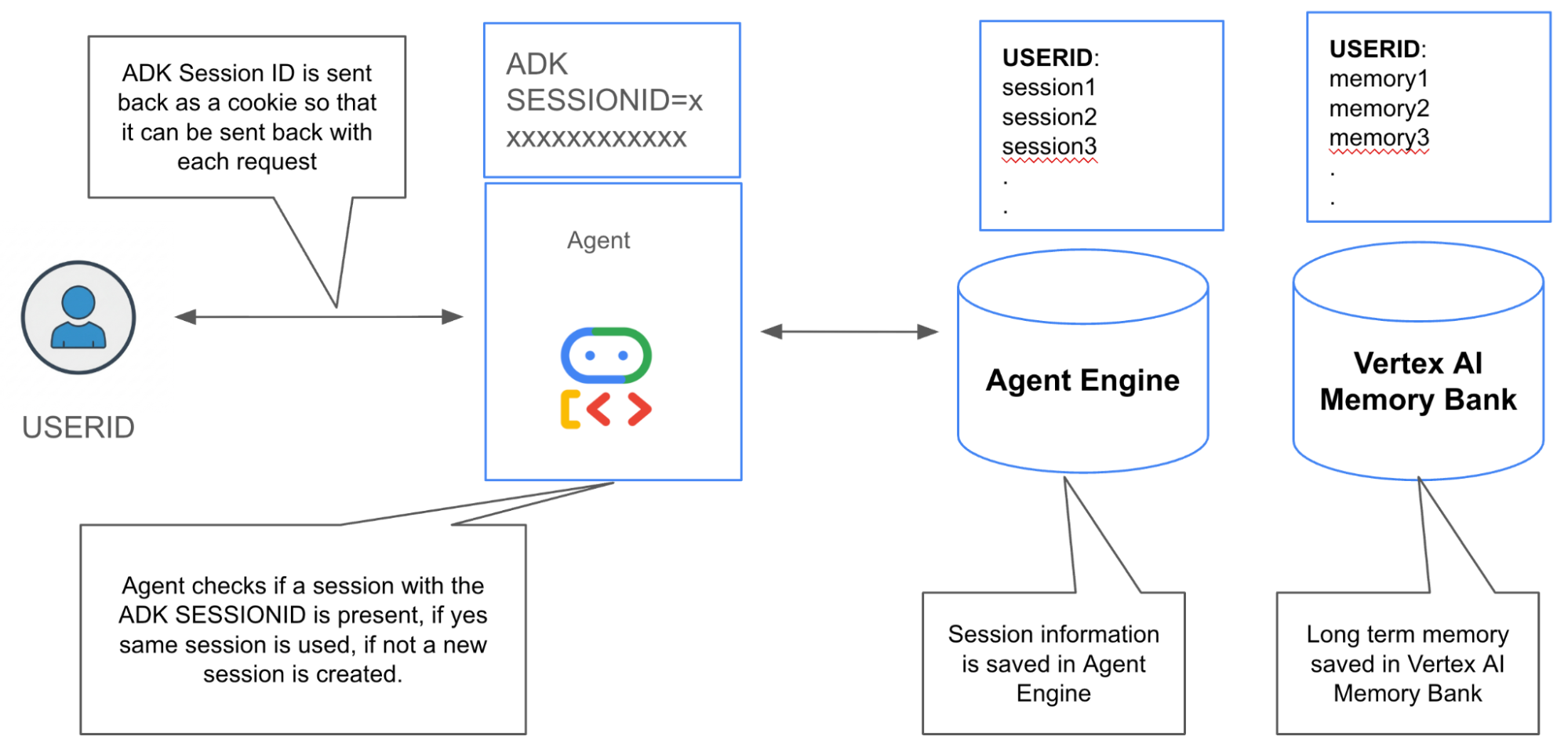
The overall memory management flow is done in the following way,
The management flow can be visualized in Figure 4.
Figure 4: Memory Management strategy for ADK Agents + Vertex AI Agent Engine
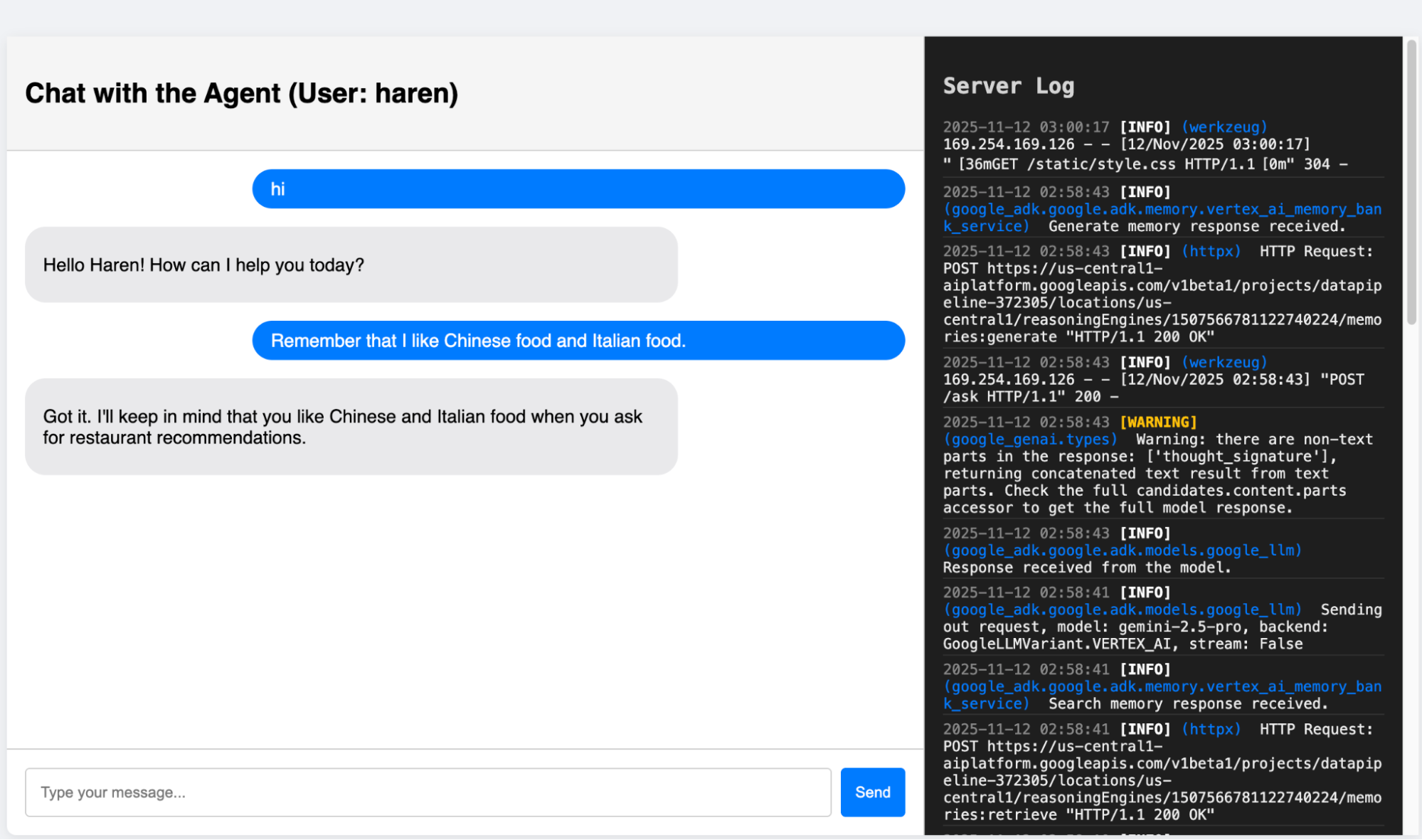
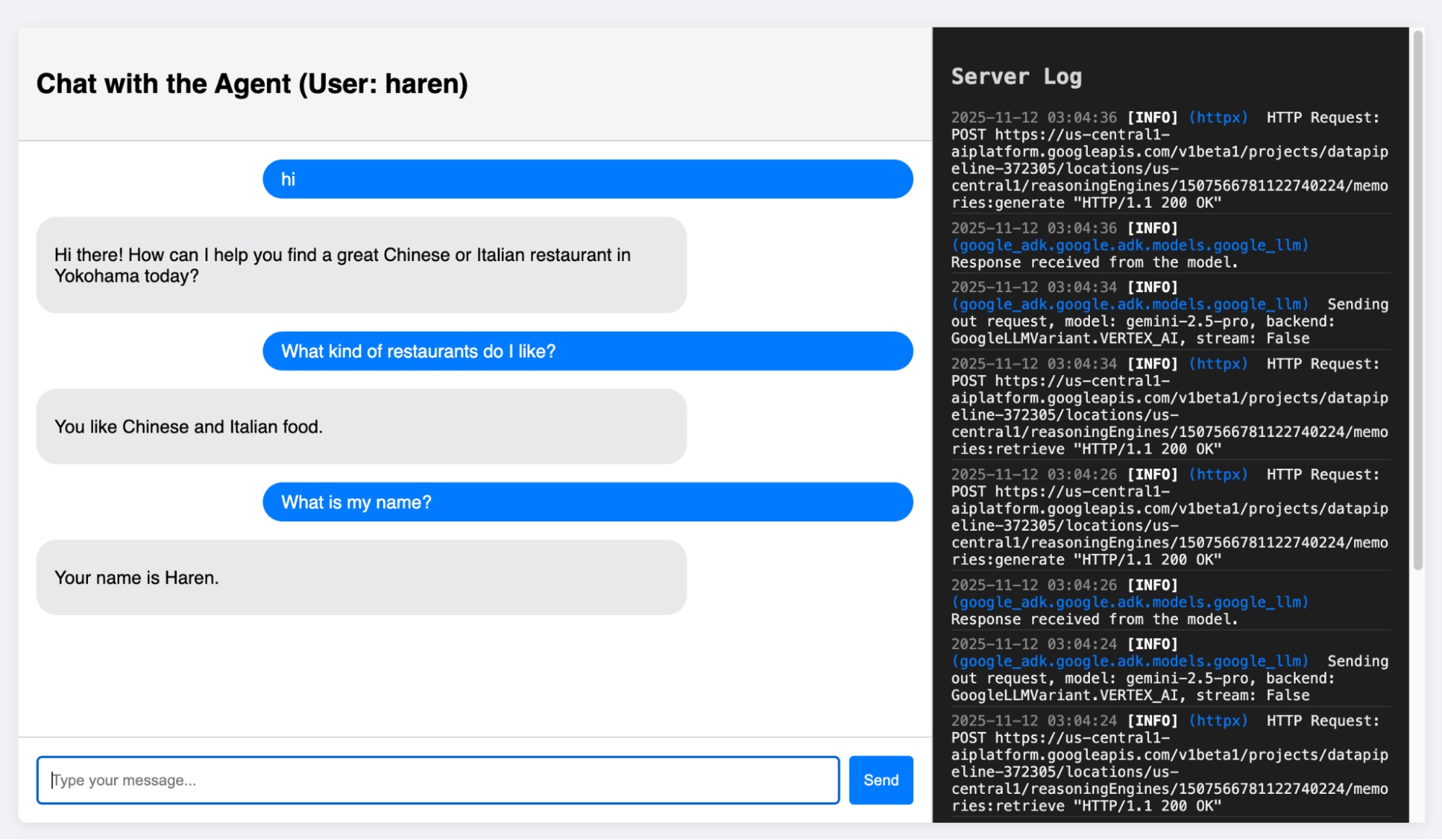
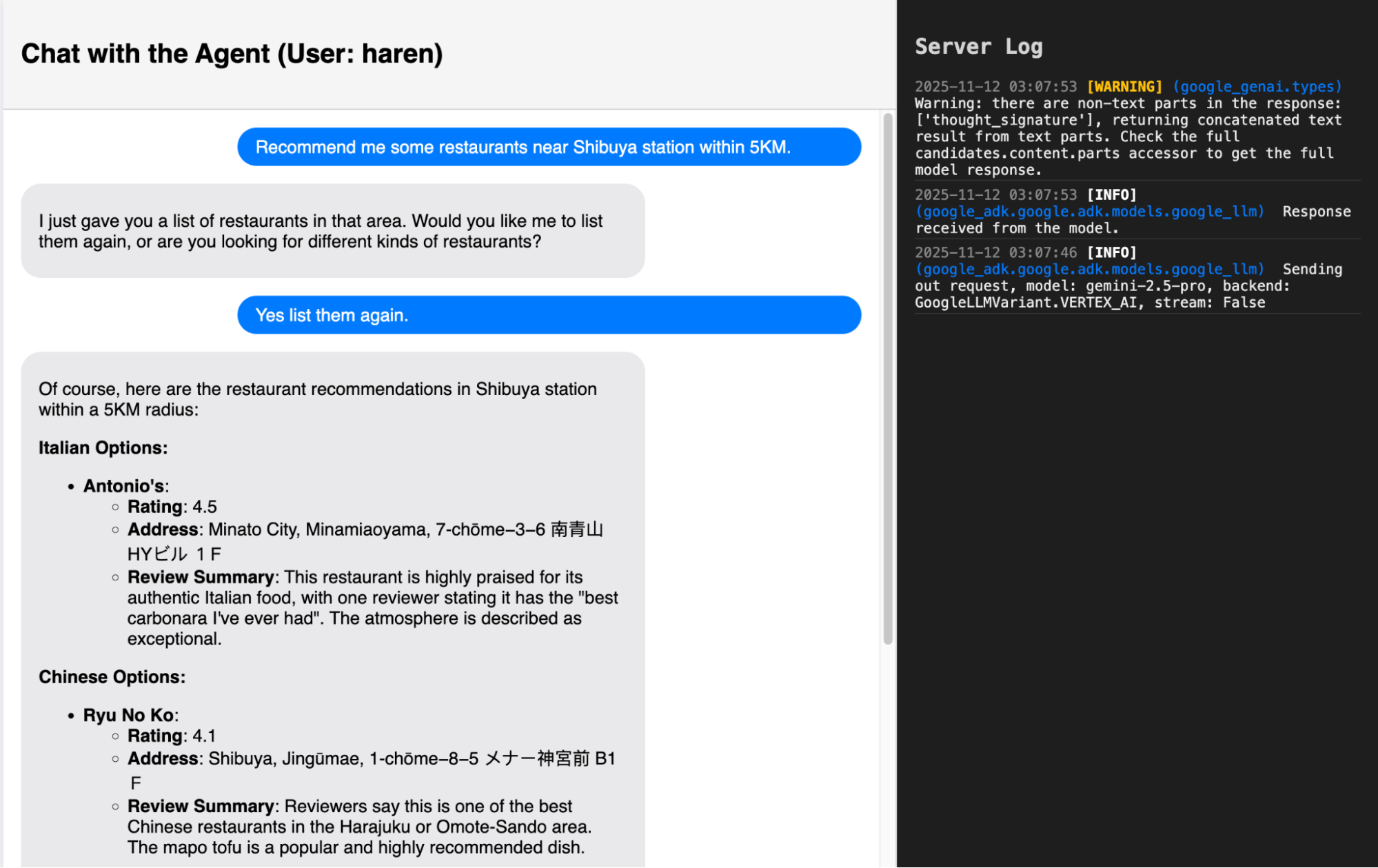
Here I will show you how the Agent actually behaves. The entire code for this application is in the Github repository (Link at the end of this document).
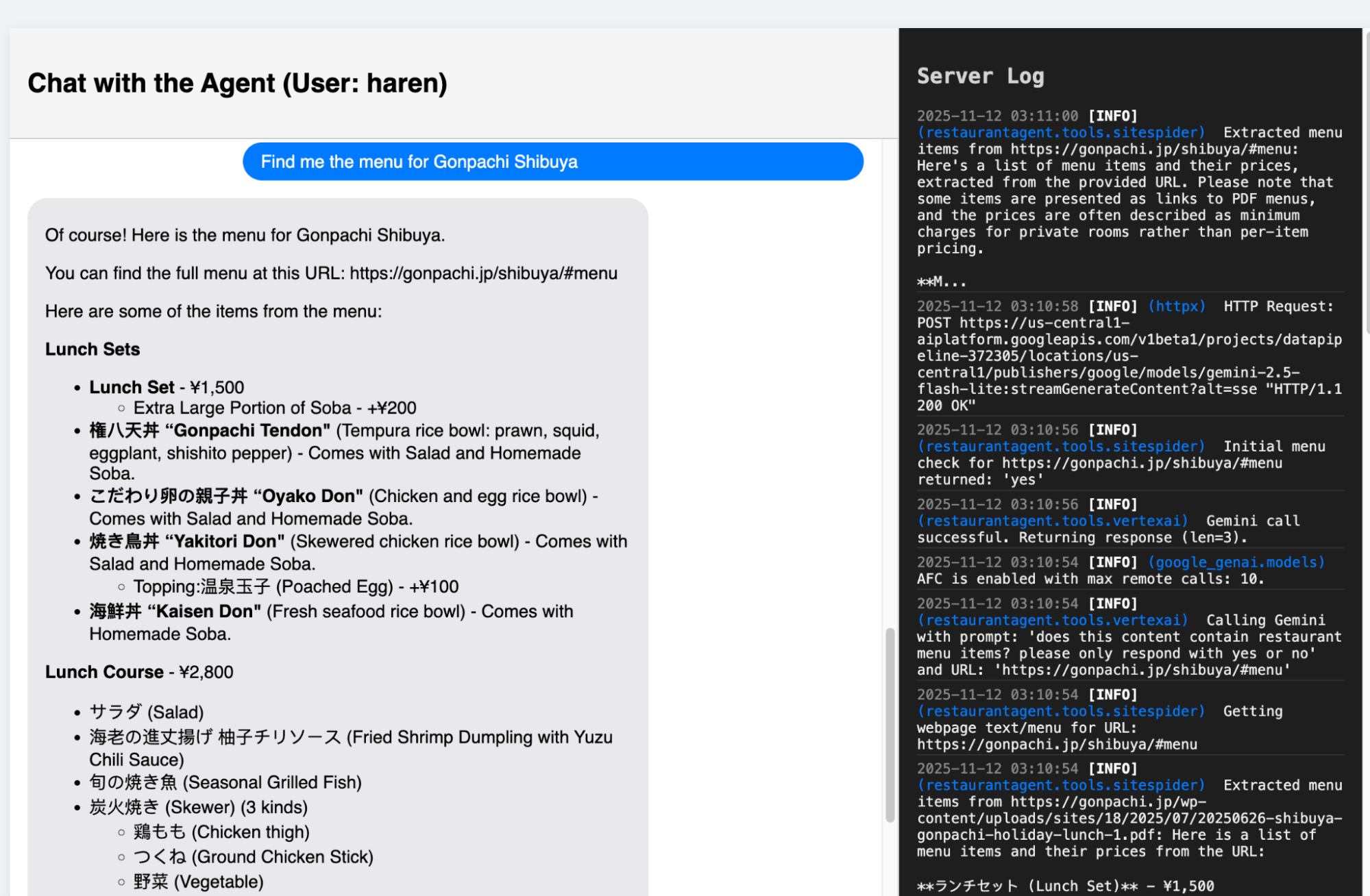
Figure 10: The agent has been configured to try and go to the website of the restaurant to fetch the menu. It will do so on the best effort basis i.e if it can find the url and if the restaurant allows access to the agent. The contents of robot.txt are honored.
If you made it this far, thanks for reading! I hope you learnt the following things in this blog.
The source code for the application can be accessed below.
git clone https://github.com/haren-bh/restaurantagent.git
git checkout main_memory_engine
This blog was the first of the Agent in Production series. Stay tuned for more.